67 nodes
Coordinates, uniforms, constants, the whole working set of maths and vector operations, noise, colour, logic and textures.
A node-based GLSL editor that runs in a browser tab. Build a fragment shader out of nodes, watch it render live on a plane or a 3D primitive, and take the finished GLSL with you. It works backwards too: paste a shader and it comes apart into nodes.
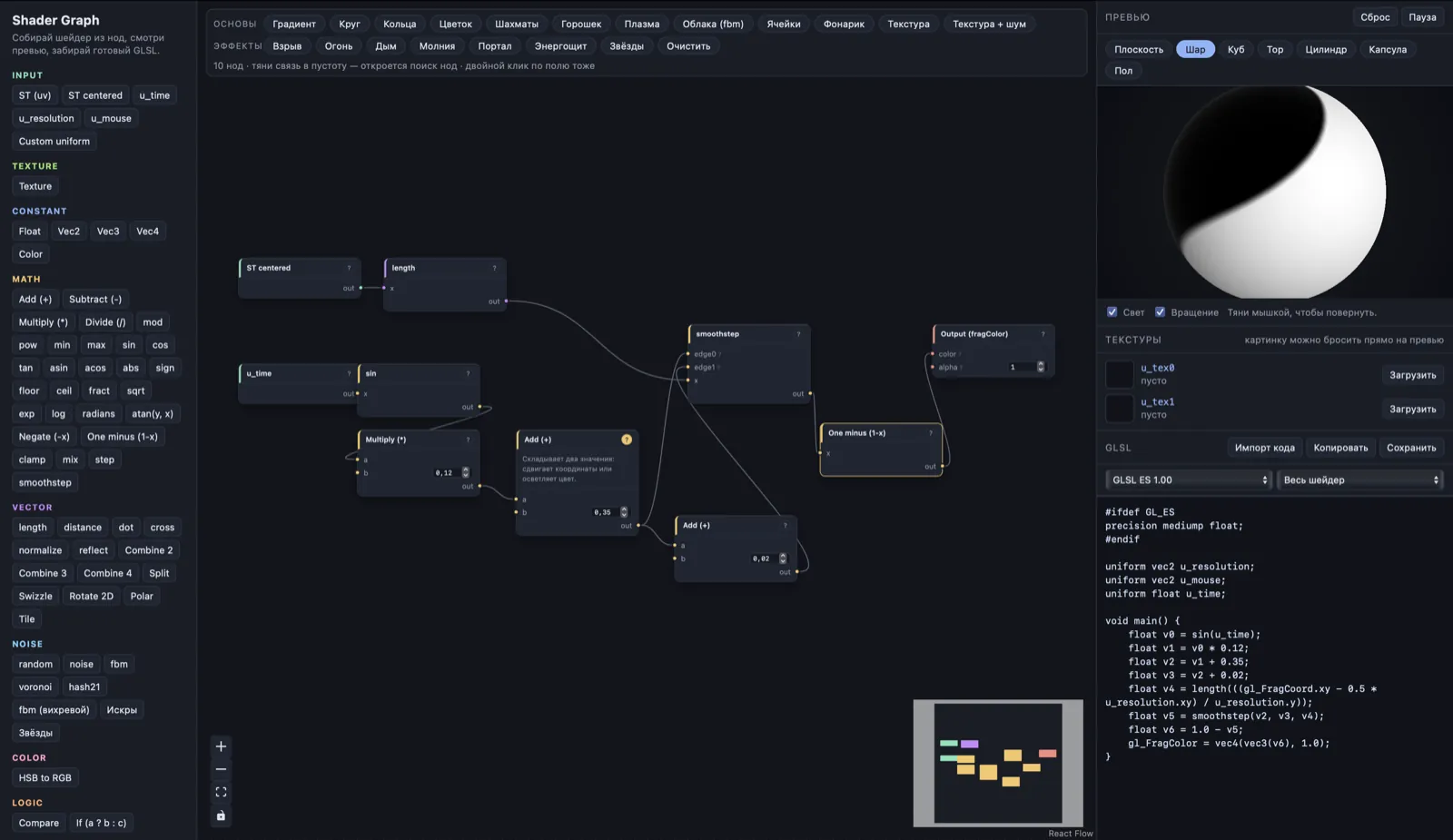
Drag a node out of the palette, pull a link from one socket to another, and the shader recompiles as you go. No project to set up, no build step, no account.
Coordinates, uniforms, constants, the whole working set of maths and vector operations, noise, colour, logic and textures.
A plane, or a sphere, cube, torus, cylinder, capsule and floor — raymarched SDFs, so no geometry and no 3D library is involved.
Copy the generated GLSL out, or paste an existing shader in and watch it come apart into a graph you can edit.
Gradients, rings, plasma, clouds, cells — then explosion, fire, smoke, lightning, portal, shield and stars. Load one and take it apart.
The editor is a static page. Your graph is compiled to GLSL in the browser and handed straight to WebGL — no server does any of the work, and nothing you build is uploaded anywhere.
Your graph is kept in the tab's own local storage, so a reload does not lose it — and it never reaches us.
Drop an image straight onto the preview to fill u_tex0 or u_tex1. The file is read in the browser, not uploaded.
Pull a connection into empty space, type two letters, and the node appears already wired up.
Hover it, press the ? in its header, or select it and read the panel on the left.
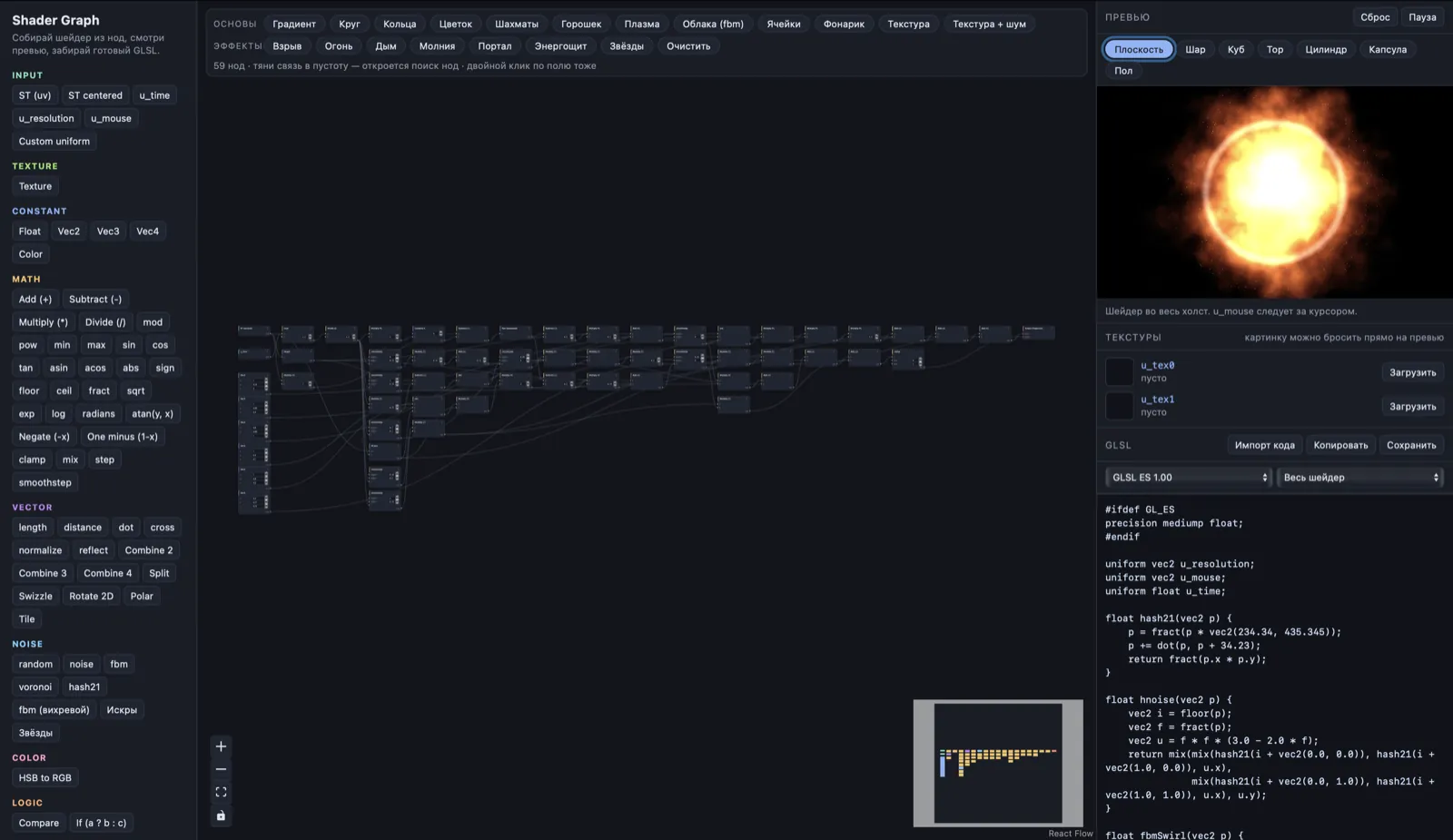
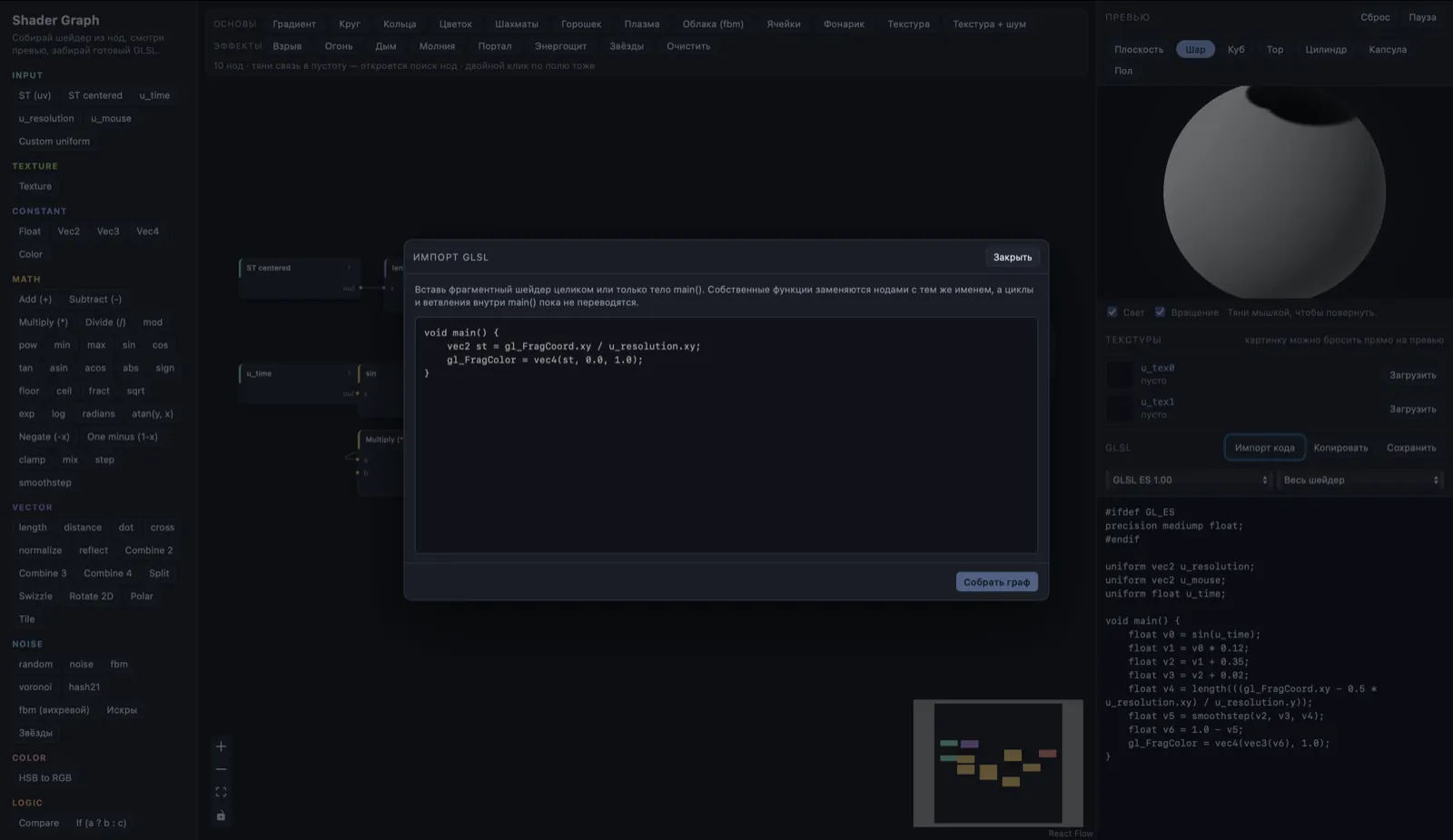
Shader Graph is open source by anomal3 and hosted here as a ready-to-use build. The source, issues and licence live on GitHub.
It loads in about a second. Load an example, break it, and watch the GLSL on the right change as you go.